ERP
The Ultimate Guide to Getting an ERP
Zoho, Odoo and ERPNext can all make sense for an SME. This guide explains how customisation, implementation costs and team adoption shape the decision.
Yajat Gulati
/
/
3 min read
A few days ago, I wrote about the five signs that it's probably time to stop running your business on spreadsheets.
A few folks reached out with the same question
"Okay Yajat, I got it, I need an ERP. Which one should I choose?"
I wish I had a clean answer for this. I don't, and honestly, neither does anyone who's telling you there's one ERP that's objectively the best. What I do have is a better question: not "Which ERP is best?" but "Which ERP will my team still be happy using 18 months from now?"
Here's how that usually plays out.
The Review Rabbit Hole
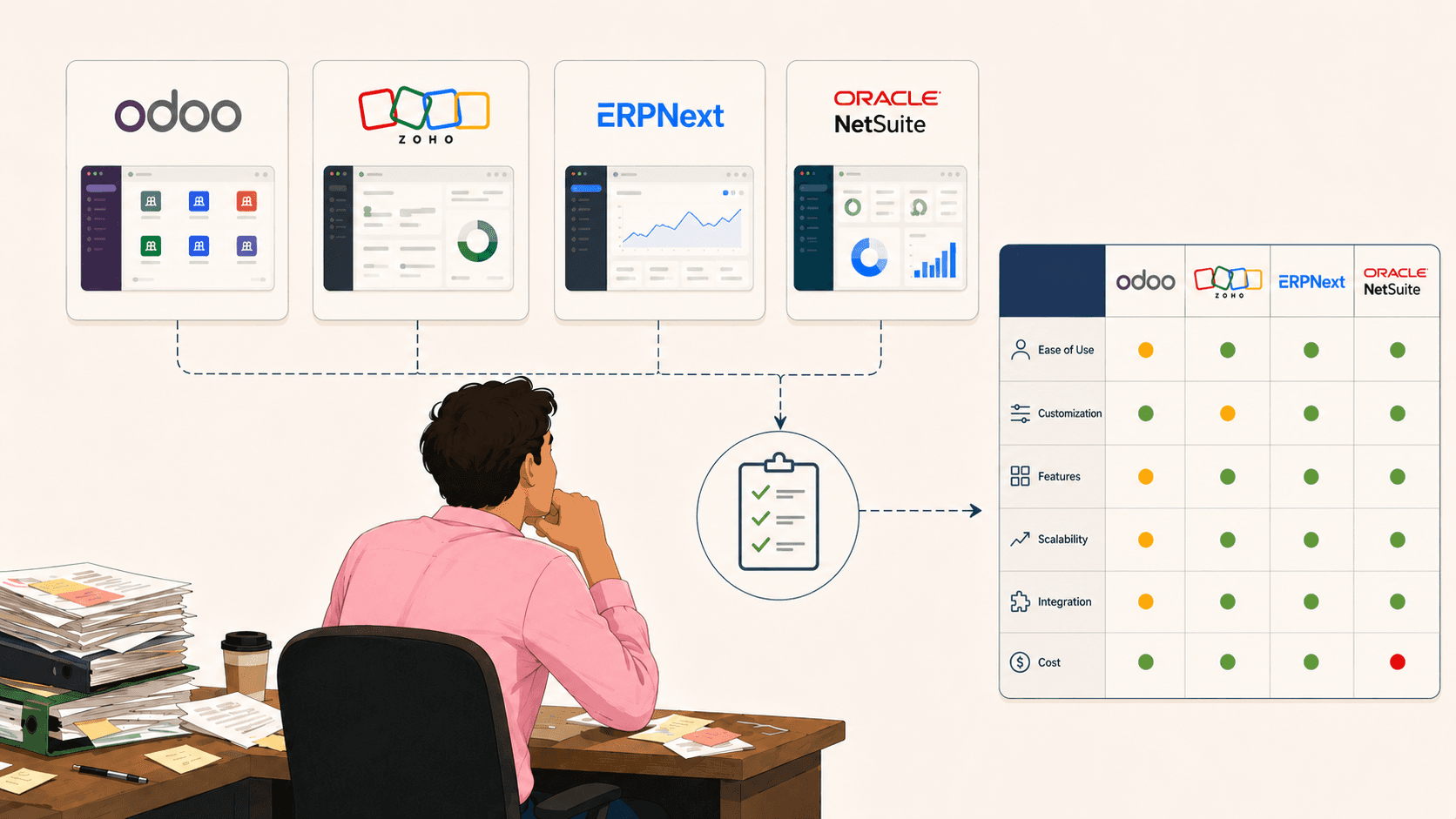
You start where everyone starts, which is opening five tabs of comparison articles and G2 reviews, and within twenty minutes you've learned that Zoho gives you the most out of the box, Odoo is cheap, ERPNext is the most customisable wand NetSuite is great if you have a finance team that enjoys pain. Every single review is written from the perspective of someone whose business might be different from yours.
Every review reflects the business and priorities of the person writing it. That makes “best ERP” a moving target. If five comparison charts have left you no closer to a decision, the sixth probably won’t help.
The "We'll Customize It Later" Promise
Then, you book a demo. Every ERP demo looks incredible and that is what demos are for. The sales person clicks through a perfectly configured instance with sample data that happens to match your industry almost exactly, and you walk away thinking,
"Man, this is basically built for us."
Then implementation starts, and you find out that the version you saw was customized by someone who's been configuring that platform for six years, and getting your actual workflow to look like that demo is going to take a developer, a few months, and a budget line nobody mentioned during the sales call.
This is where Odoo and ERPNext tend to earn their reputation as "flexible," and Zoho tends to earn its reputation as "works well if you don't push too hard against the edges."
Flexibility is genuinely valuable if you have the technical capacity to use it. It's just as much a problem if you don't, because flexibility comes with a cost.
Someone still has to configure the system, and that's usually an expensive implementation partner or an internal hire you didn't plan for.
Hint: That’s what we’re solving for at Crator. We’re building the Lovable for ERPNext. Book a demo with us to understand more.
Tip: Before you fall for a demo, it's worth asking who's actually going to build your version of it, and how long that's realistically going to take.
The Budget You Didn't Plan For
The license fee is the part everyone budgets for. It's also usually the smallest part of the actual cost.
Implementation, data migration, training, and the inevitable stretch where two systems run in parallel while everyone gets comfortable, that's where the real spend and pain show up.
The trade-off is that the subscription cost continues to add up every month.
Zoho is the fastest and easiest to get started with, as it requires little implementation.
ERPNext is the cheapest at the software level since it's free and open source with no licence fees. The main costs come from hosting, implementation, and ongoing maintenance.
Odoo falls in the middle. The Community edition is free, but doesn't have important features like Accounting and Payroll, so most businesses end up choosing the paid Enterprise plan.
NetSuite and the bigger platforms sit at the far end entirely, built for a scale where the implementation cost is a rounding error against everything else.
None of these are wrong choices. They're just built for different amounts of complexity, and the honest question is how much complexity you actually have, not how much you'd like to plan for.
So, Which One?
In conclusion, choosing between Zoho, Odoo and ERPNext comes down to three things: how much customisation your business needs, who will handle it, and whether your team can actually use the system.
As you've probably realised by now, buying an ERP isn't the end of the story. It's only the beginning.
What comes next is choosing someone to implement it for you...or is it?
In the next article, I'll explain how we're enabling business owners to implement ERPNext themselves using AI at Crator, and how that approach compares with traditional system integration.
